AI-Powered Browser-based 3D product customizer — a real-time WebGL editor where users design apparel, mugs, caps, and packaging by adding text, images, logos, and textures, then save, export, and share their designs.
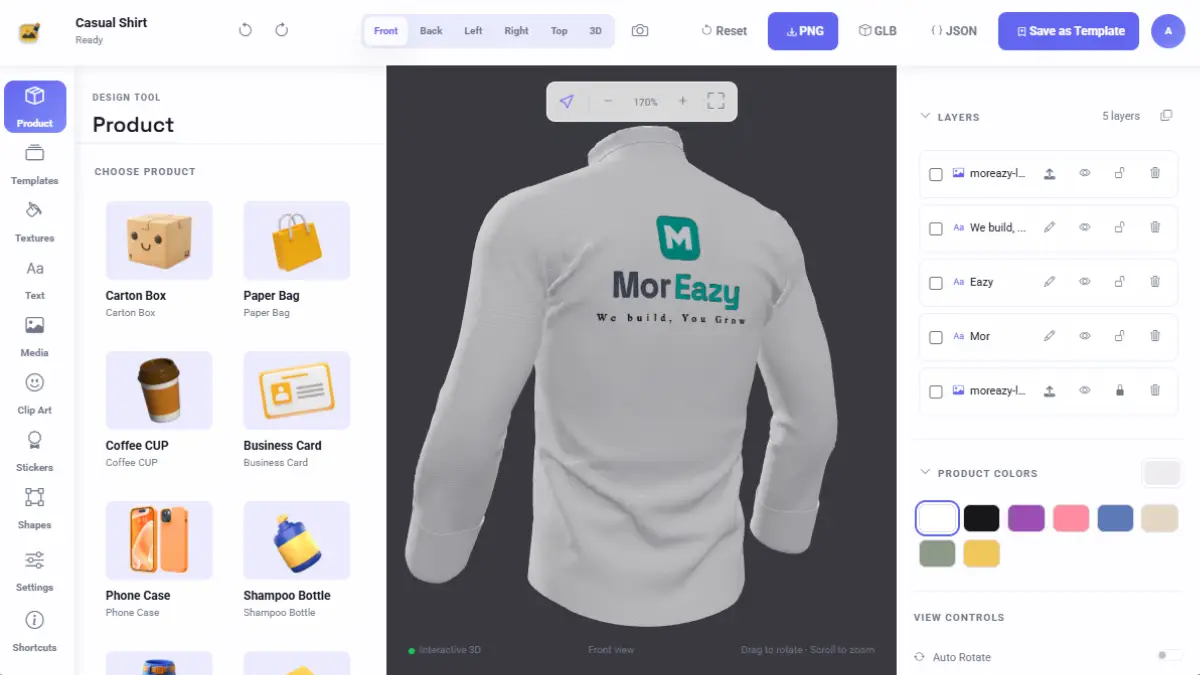
CIESA is a complete web application built on two layers: a PHP + MySQLi authentication/admin boilerplate, and on top of it, a full-featured 3D product customization editor (Three.js). Users register with email/password (email verification token, 24-hour expiry, resend cooldown), log in (5 failed attempts trigger escalating lockout — from 5 minutes up to 24 hours), and can keep a persistent session via "Remember Me". The password reset flow uses anti-enumeration messaging and logs the user out of all other devices once the password is reset. Every state-changing action is CSRF-protected, and roles (admin/user) are enforced server-side. The admin panel controls all content: user management (add/edit/delete/mark-verified), site settings (name, logo, description, encrypted Brevo email credentials), and every content library used by the editor — 3D product models (GLB upload), clip art/icons, sample stickers, textures, fonts, and color swatches — all editable without touching code. Its core feature is the 3D Product Editor: users design in a real-time WebGL scene across 8 ready-made product models (T-shirt, sample shirt, baseball cap, two mug styles, three carton/box variants). Multi-view camera controls (Front/Back/Left/Right/Top plus free orbit) are available. Text layers (font, size, letter spacing, bold/italic/underline, color), image/logo/clip-art/icon layers (uploaded or from the admin library), and a full layer system (reorder, hide, lock, duplicate, delete, drag, rotate, scale, opacity) are included — along with undo/redo history. The rendering pipeline uses "real UV-space" mapping — designs are painted directly onto the product's mesh texture (not flat decal projection), so on curved surfaces (mug handles, cap brims, sleeves) the design wraps without cropping, seams, or lighting glitches. Admin-curated "Templates" (ready-made starting designs), a 10-pattern seeded "Textures" library (stripes, denim, carbon fiber, checkerboard, leather, etc.), plus the ability for users to upload their own textures. Lighting controls (real exposure-based brightness, display contrast, contact shadow toggle) and auto-rotate are also included. Every user can save their design ("My Designs" page — thumbnails, reopen, delete), and export a PNG mockup — available to all users — while GLB model + design JSON export is gated to admin/premium accounts only. A shareable, read-only public link (with expiry) can also be generated, letting anyone view the design in 3D without logging in — editing stays disabled. The whole application uses a consistent "Liquid Glass" design system (Bootstrap 5 + custom theme), with dark/light theme toggle (OS-preference detection, no flash-of-wrong-theme), applied consistently across the public site, user panel, admin panel, and editor.
Email/password registration, 24-hour email verification links, escalating login lockout (5 attempts → 5 minutes up to 24 hours), and an anti-enumeration forgot/reset-password flow.
Persistent login via a selector + hashed-validator cookie pattern, session regeneration on login, CSRF verification on every state-changing endpoint.
Two roles (admin/user), enforced server-side on every protected page and AJAX controller; an admin cannot delete or demote their own account.
Live user counts (total/verified/pending), full add/edit/delete/mark-verified/resend-verification controls, all uid-based (sequential IDs are never exposed).
Site name, logo, description, contact info, and Brevo transactional-email credentials (encrypted at rest, masked in the UI) are all editable by the admin.
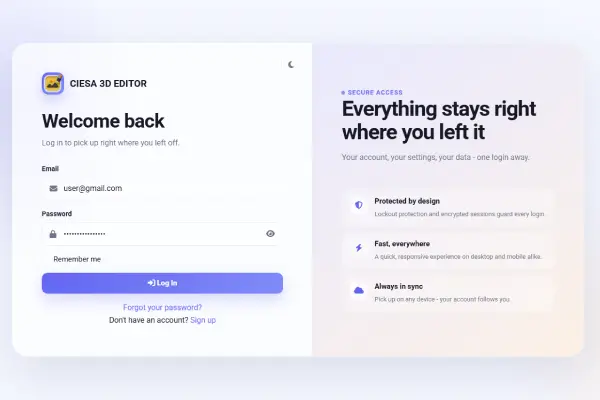
Create an account (email/password), click the verification link in your email — ready to log in.
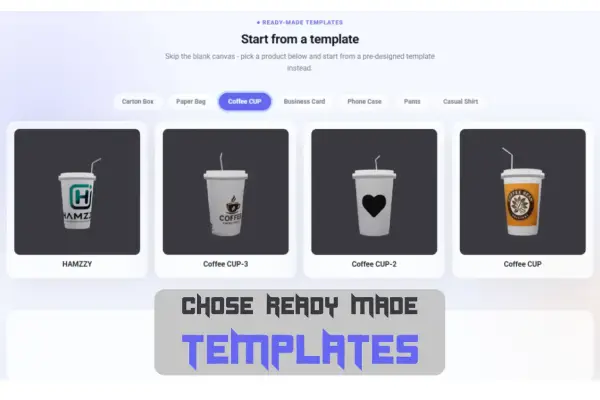
Pick one of 8 ready-made 3D product models — T-shirt, cap, mug, or carton/box — which loads instantly in the editor.
Add text, images, logos, clip art, or icons; drag/resize/rotate layers, customize colors and fonts — everything updates live in the 3D preview.
Contact for Pricing
Pricing depends on your setup — reach out and we'll put together a quote.
Contact SalesTell us about your products and we'll help you get the CIESA 3D Editor set up — usually within one business day.
3D product models (GLB upload), clip art/icons, sample stickers, surface textures, fonts, and color swatches — all editable without a developer.
Account/verification status, name/email updates (email changes trigger re-verification), avatar upload with automatic resizing/compression.
All of a user's saved designs shown as thumbnails, with one-click reopen or delete in the editor.
A Three.js-based WebGL scene with 8 ready-to-use product types (T-shirt, sample shirt, cap, 2 mug styles, 3 carton/box variants) out of the box.
Fixed Front/Back/Left/Right/Top views plus free orbit/pan/zoom 3D perspective.
Text layers (font, size, spacing, bold/italic/underline, color, auto-naming), plus image/logo/clip-art/icon layers uploaded or pulled from the admin library.
Remove the background from uploaded logos and images using AI, making them ready to apply seamlessly onto 3D product mockups.
Reorder, show/hide, lock, duplicate, delete, drag-reposition, rotate, scale, and adjust opacity — each layer has its own row and quick-action buttons.
Works across every edit type, correctly seeded on each fresh product load.
Designs are painted directly onto the product's mesh texture, so curved surfaces (mug handles, sleeves, cap brims) wrap without cropping or seams.
Admin-curated, ready-made starting designs per product — can be saved/renamed/deleted right from the editor's top bar.
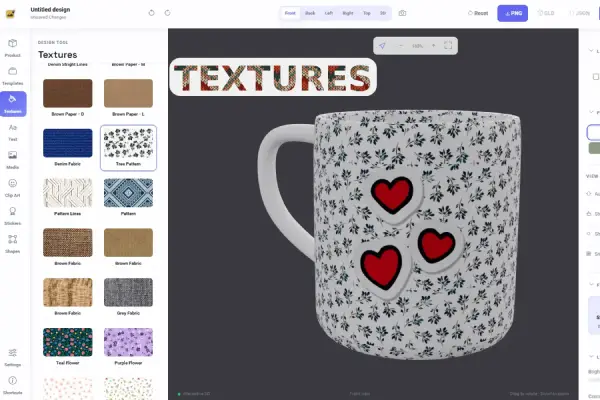
A 10-pattern seeded texture library (stripes, denim, carbon fiber, leather, etc.), plus users can upload their own texture as a realistic overlay.
Renderer-exposure-based brightness (baked into exports), display-only contrast, a soft contact shadow toggle, and auto-rotate.
Save a design, export a PNG mockup (available to everyone), export a GLB model + design JSON (gated to admin/premium), and generate an expiring, read-only shareable public link.
OS-preference detection, persisted user choice, no flash-of-wrong-theme on load, consistent across the whole app.
Bootstrap 5 + custom theme, unified look across the public site, user panel, admin panel, and editor.
Start from an admin-curated template or apply surface textures; adjust lighting (brightness/contrast/shadow) for a realistic look.
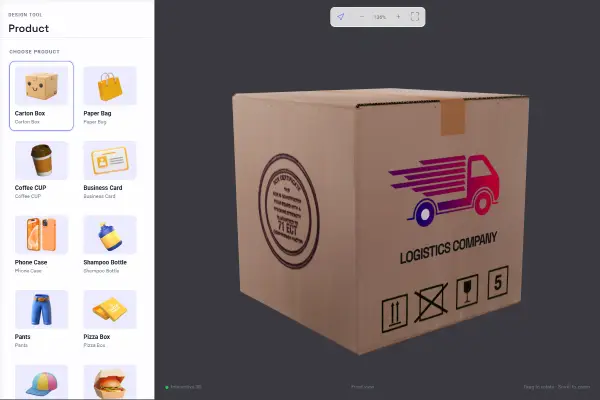
Check your design from every angle using Front/Back/Left/Right/Top views or free 3D orbit.
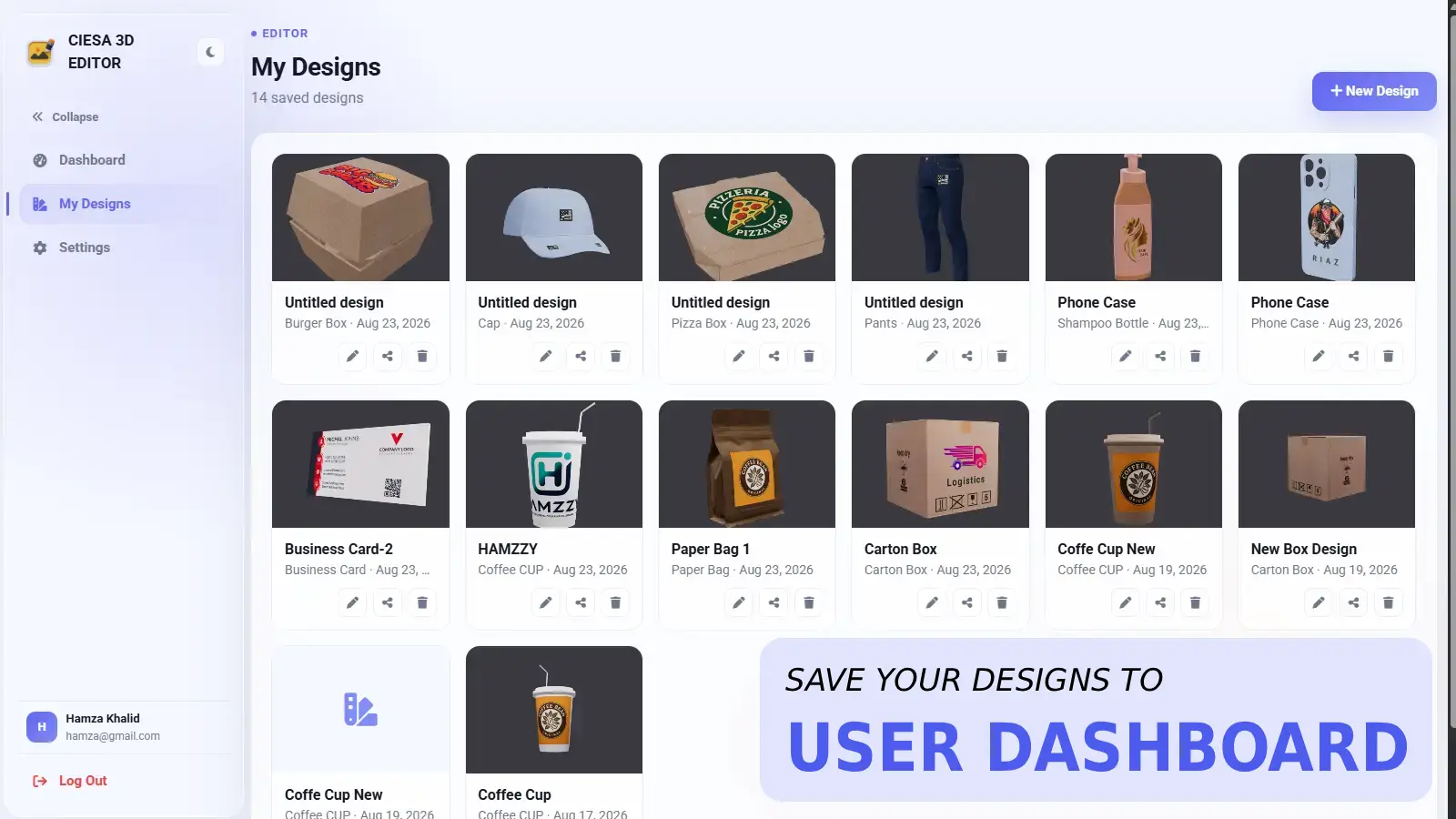
Save the design to "My Designs", export a PNG mockup (or GLB/JSON if premium/admin), or generate a shareable read-only link to send to anyone.